> ## Documentation Index
> Fetch the complete documentation index at: https://help.elationhealth.com/llms.txt
> Use this file to discover all available pages before exploring further.
# Monitoring for Downcoded Claims
> Learn how to identify and monitor downcoded claims in Elation Billing
This article explains how to identify and monitor downcoded claims in Elation Billing.
## Overview
### What are Downcoded Claims?
A downcoded claim is when a payer pays for a lower-level, less complex, or less expensive service than what your practice submitted. This results in lower reimbursement. The most common way to know about this is through your electronic remittances (ERAs).
### How Does Elation Monitor for Downcoded Claims?
Elation reviews ERAs and identifies claims that have been downcoded. This applies to Evaluation and Management (E/M) CPT Codes beginning with 992:
* 99215, 99214, 99213, 99212
* 99205, 99204, 99203
## Workflow Instructions
### Filtering for Downcoded Claims in the Worklist
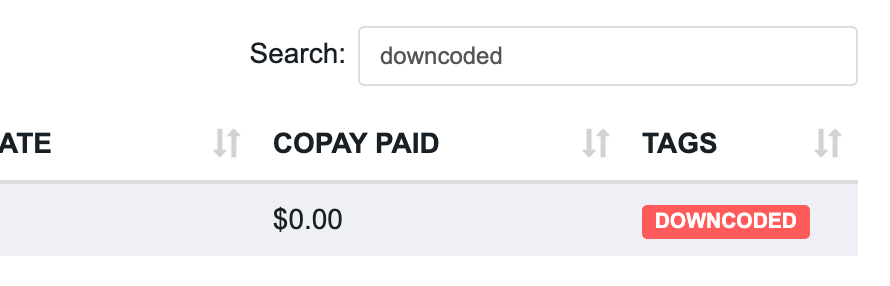
Downcoded claims are automatically tagged as **Downcoded**. Use the **Search** bar to filter the Worklist by this tag.
 See [Using the Worklist](/articles/using-the-worklist) for instructions on removing claims from the Worklist.
***
### Viewing Downcoded Claim Alerts on the Superbill
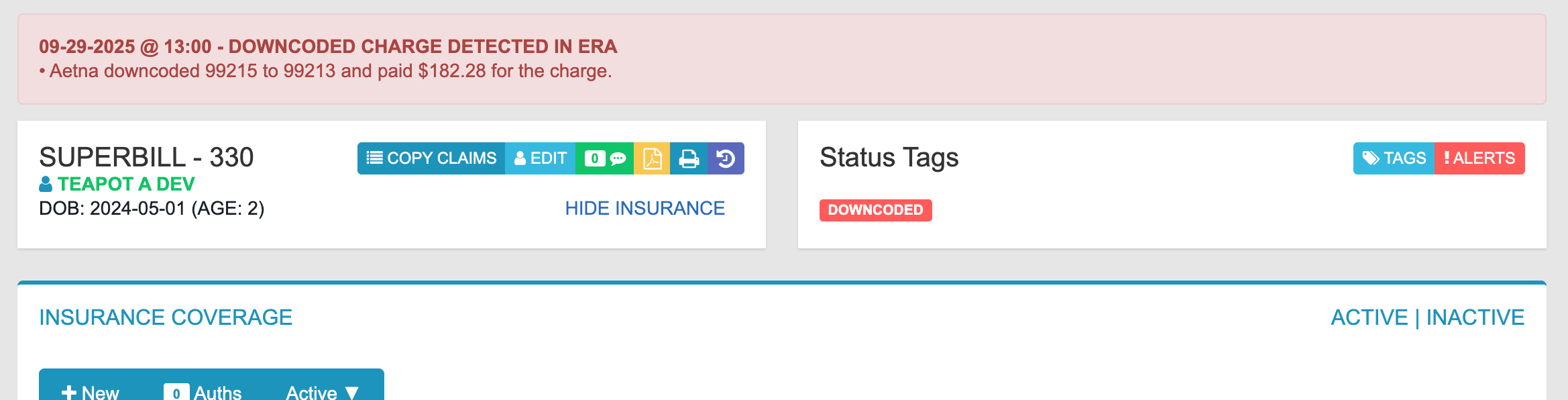
On the **Superbill** page, an alert at the top notifies you when a payer has downcoded a claim and shows the resulting paid amount.
See [Using the Worklist](/articles/using-the-worklist) for instructions on removing claims from the Worklist.
***
### Viewing Downcoded Claim Alerts on the Superbill
On the **Superbill** page, an alert at the top notifies you when a payer has downcoded a claim and shows the resulting paid amount.
 ***
### Viewing Downcoded Claim Alerts on the Payment
On the **Payment** page, an alert shows which claim was affected and the resulting paid amount.
***
### Viewing Downcoded Claim Alerts on the Payment
On the **Payment** page, an alert shows which claim was affected and the resulting paid amount.
 ## Related Articles
* [Using the Worklist](/articles/using-the-worklist)
* [Claim Appeals](/articles/claim-appeals)
* [Common Code Denials](/articles/common-code-denials)
## Related Articles
* [Using the Worklist](/articles/using-the-worklist)
* [Claim Appeals](/articles/claim-appeals)
* [Common Code Denials](/articles/common-code-denials)